How to Choose a Fiber Laser Cutting Machine Working Area
Fiber Laser Buyer’s Guide · Flat Sheet and Plate
On this page
- How to Choose a Fiber Laser Cutting Machine Working Area
- Quick Answer: What Fiber Laser Table Size Should You Choose?
- Common Fiber Laser Cutting Table Sizes
- How to Choose a Working Area for Your Production
- When Does a Larger-Format Fiber Laser Make Sense?
- Plan Loading Space, Unloading and Shop Layout
- Working Area, Laser Power and Automation Are Separate Decisions
- What to Confirm in a Fiber Laser Quotation
- Frequently Asked Questions
- Find the Right Working Area for Your Parts
How to Choose a Fiber Laser Cutting Machine Working Area
The right fiber laser cutting table size should fit the parts you make, the sheets you buy and the way material moves through your shop. A larger bed can reduce sheet breakdown and repositioning, but it also needs more floor space and a suitable loading plan.
This guide explains how to compare common sheet-metal working areas, including 3000 × 1500 mm, 4000 × 2000 mm and larger formats.
- Working-area planning
- Sheet-metal production
- Loading and layout
- Machine configuration
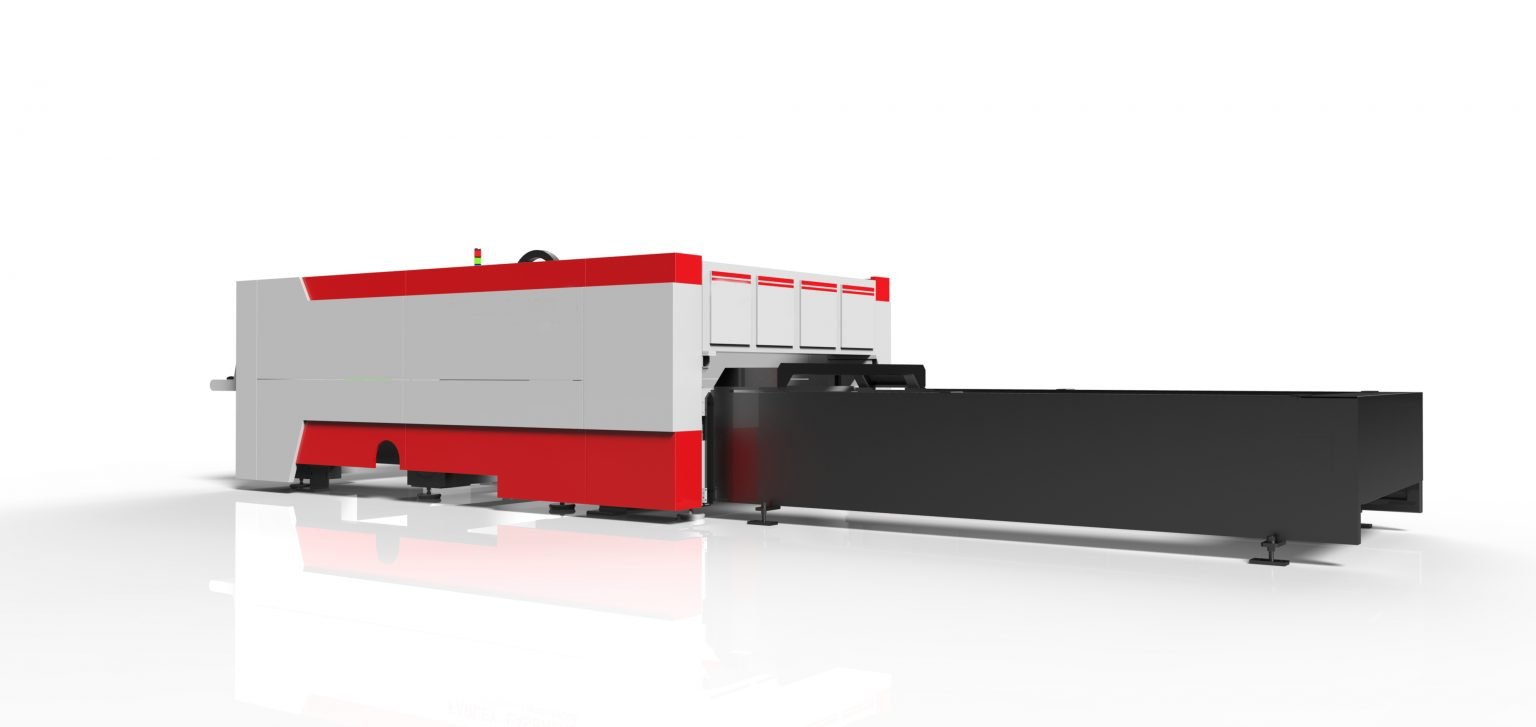
Quick Answer: What Fiber Laser Table Size Should You Choose?
Choose a working area that accommodates the sheets you regularly process, with enough room for nesting and reliable loading. For many sheet-metal shops, a 3000 × 1500 mm format is a practical starting point. A 4000 × 2000 mm or larger bed may suit production that uses larger stock or cuts long parts in fewer setups.
Do not select a larger bed based only on occasional jobs. Compare how often you use the extra area with the added floor-space, loading, extraction and machine-cost requirements.
If your work is mainly very small parts and compact blanks, read our separate article comparing 600 × 600 mm and 1000 × 1000 mm small-format fiber lasers. This guide focuses on standard and larger sheet-metal work areas.
Common Fiber Laser Cutting Table Sizes
Machine labels are shorthand, and naming conventions are not identical across manufacturers. The dimensions below describe the approximate working-area format; ask the supplier to state the actual effective cutting area and maximum sheet size in the quotation.
Standard sheet format
A common format for general sheet-metal fabrication. It can suit shops processing standard-sized sheets, brackets, panels, enclosures and mixed production parts.
More room for larger sheets
A larger working area can help when your incoming stock or parts exceed a standard bed, or when larger nests reduce sheet changes and part splitting.
Large-format plate work
This format may fit long or wide parts and larger production layouts. Check the building, material-handling equipment and loading access before selecting it.
Configured around the job
Some applications need a non-standard bed. Share the largest sheet, part drawings and handling method so the supplier can confirm a suitable design.
| Approximate format | Potential fit | Check before ordering |
|---|---|---|
| 3000 × 1500 mm | General sheet-metal work and standard-sized stock. | Effective cutting area, usable sheet margins and exchange-table dimensions. |
| 4000 × 2000 mm | Larger sheets, long components or nests that benefit from extra area. | Loading method, crane/forklift access, machine footprint and part unloading. |
| 6000 × 2500 mm | Large-format parts and production layouts requiring a longer or wider bed. | Factory layout, foundation, material support, extraction zones and transport route. |
| Custom | Non-standard sheets, unusually long parts or project-specific production. | Written confirmation of usable travel, supported sheet dimensions and machine design. |
PCL’s published stainless laser machine page lists working-area options of 3000 × 1500 mm, 4000 × 2000 mm and 6000 × 2500 mm. The exact availability depends on the model and configuration, so verify the specific size you need with PCL.
How to Choose a Working Area for Your Production
1. Start with the incoming sheet
List the sheet dimensions you actually purchase and process. If a bed cannot accept the sheet with the required loading clearance, the nominal working area will not solve the problem.
2. Check your largest regular part
Use drawings for recurring parts, not only the single largest job you have ever received. Consider part orientation, lead-ins, edge margins and nesting clearance.
3. Review nesting and sheet utilization
A larger bed may allow more parts in one nest, but the improvement depends on part geometry and order mix. Compare representative nests before assuming material savings.
4. Consider loading frequency
If operators frequently change sheets, a larger-format machine may affect crane time, forklift movement and material staging. Include these steps in the production plan.
Think in terms of usable area, not just the model name
Ask the manufacturer to distinguish the machine’s external footprint, bed dimensions, maximum sheet size and effective cutting area. The cutting head needs travel and edge margins, so a model label does not always equal the exact usable dimensions.
When Does a Larger-Format Fiber Laser Make Sense?
A larger working area may be worth considering when it solves a recurring production constraint. Examples include processing long components in one setup, reducing the need to split parts, fitting more parts into a nest, or handling the sheet sizes already used by your supply chain.
It may not be the best choice if larger sheets are rare, the shop lacks room for safe loading, or operators cannot unload parts efficiently. A larger bed can increase the machine footprint and may require changes to material handling and factory layout.
- How many hours per week would the larger area actually be used?
- Would it avoid splitting or repositioning parts?
- Can the shop receive and stage the larger raw sheets?
- Can the crane or forklift reach the loading side safely?
- Will the larger layout leave enough access for maintenance and part removal?
Plan Loading Space, Unloading and Shop Layout
The machine bed is only one part of the footprint. Allow space for the laser enclosure, exchange table if included, operator access, electrical cabinet, chiller, dust collector, gas equipment and maintenance work.
Before ordering a large-format fiber laser, ask the supplier for a general arrangement drawing. Check the route from the receiving area to the machine, ceiling height, door dimensions, crane coverage, floor loading and room for finished parts and scrap skeletons.
Material infeed
Confirm how sheets are delivered, staged and lifted onto the bed or exchange table.
Part outfeed
Plan where cut parts, skeletons and reusable remnants will go after each job.
Operator access
Keep safe access to controls, doors, consumables and maintenance points.
Utilities and extraction
Confirm service locations, duct routing and maintenance clearances for the proposed configuration.
Working Area, Laser Power and Automation Are Separate Decisions
A larger work area does not automatically require a higher laser power, and a higher-power source does not automatically mean you need a larger bed. Select each part of the configuration according to the work:
- Working area: determined by sheet dimensions, part size, nesting and handling.
- Laser power: determined by material, thickness range, process target and production economics.
- Automation: determined by loading frequency, labor availability, shift pattern and throughput needs.
For help comparing power options, see how to choose fiber laser power. For project budgeting, review our guide to fiber laser cutting machine prices and configuration costs.
What to Confirm in a Fiber Laser Quotation
Before comparing offers, make sure every supplier is quoting the same usable dimensions and scope. Ask for these details in writing:
- Effective cutting area in X and Y, plus maximum sheet size.
- Machine footprint and required maintenance clearances.
- Whether the bed is fixed or includes an exchange-table system.
- Permitted sheet weight, loading method and material support arrangement.
- Laser source, cutting head, CNC system and included software.
- Electrical, cooling, gas and fume-extraction requirements.
- Installation, commissioning, operator training and service scope.
- Sample test results using your drawings and material specifications.
When sending an inquiry, include the largest sheet you process, typical sheet sizes, your largest recurring part, material thicknesses and the available shop-floor area. This gives the supplier enough context to recommend a realistic working area.
Frequently Asked Questions
What does a 3015 fiber laser cutting machine size mean?
“3015” is commonly used as shorthand for an approximately 3000 × 1500 mm working format. Model naming is not universal, so confirm the actual effective cutting area and maximum supported sheet dimensions with the manufacturer.
What is the difference between a 3015 and a 4020 laser cutting machine?
They refer to different approximate working-area formats: about 3000 × 1500 mm and 4000 × 2000 mm, respectively. The larger format may handle larger sheets or parts, but requires more space and a suitable loading plan. Verify the exact dimensions for the model being quoted.
Does a larger laser bed cut faster?
Not by itself. Bed size determines the work area, while cutting speed depends on the laser process, material, thickness, cutting head, motion system and settings. A larger bed may reduce sheet changes or repositioning for some jobs.
Should I buy a larger bed for future production?
Consider future demand only when it is supported by a realistic production plan. Compare the expected use of the extra area with the additional footprint, handling needs and investment. Ask the supplier for a layout drawing before deciding.
Is a 6000 × 2500 mm machine the same as a 6020?
Not necessarily. “6020” often suggests an approximate 6000 × 2000 mm format, while PCL’s published stainless laser page lists 6000 × 2500 mm as an option. Use the written dimensions and effective cutting area rather than relying on shorthand model names.
What information should I send to get a machine-size recommendation?
Share incoming sheet dimensions, the largest recurring part, material and thickness range, representative drawings, loading equipment and available shop-floor space. These details help the supplier assess both the working area and the surrounding material flow.
Find the Right Working Area for Your Parts
Send PCL your sheet sizes, representative part drawings, material range and shop layout constraints. The team can review the required working area and confirm the available machine configuration.
Machine sizes, usable travel and options vary by model. Confirm dimensions and configuration in the final quotation before ordering.